
Every answer starts with a query.
Who keeps failing sign-in? Which guests went quiet? Which app secret expires next week? Each one is a Graph call, pagination and a script someone has to maintain.
Open source · Self-hosted Microsoft 365 reporting & automation
Argus runs scheduled Microsoft Graph reports (sign-in failures, inactive guests, expiring app secrets, license waste and more) and emails your team when your rules match. When a report finds a problem, Argus automations can fix it: Audit first, Enforce when you say so, roll back if needed. One Docker container on your own infrastructure.
New: automations with Audit, Enforce and rollback, sign-in and HTTPS
Who keeps failing sign-in? Which guests went quiet? Which app secret expires next week? Each one is a Graph call, pagination and a script someone has to maintain.
A weekly dump buries the one row that matters, and a check nobody scheduled never runs.
Disabling stale guests or reclaiming licences usually means a hand-run script: no dry run, no change limit, and no record of what it changed.
How reports work
Argus follows a Jenkins-style model: Catalog → Jobs → Executions → Logs. Each scheduled run goes through the same pipeline.
Pull data from Microsoft Graph with pagination, $select and retry with back-off.
Compare against previous runs; flag counts more than 2σ from the baseline.
Apply your rule: always, count above a threshold, count changed, anomaly, new rows, or a metric moving by a set amount. Maintenance windows mute runs.
Fill an editable HTML or plain-text email template.
Send through Microsoft Graph from your configured mailbox, or call a webhook when a run is suppressed. Every run and log line is stored.
Automations New
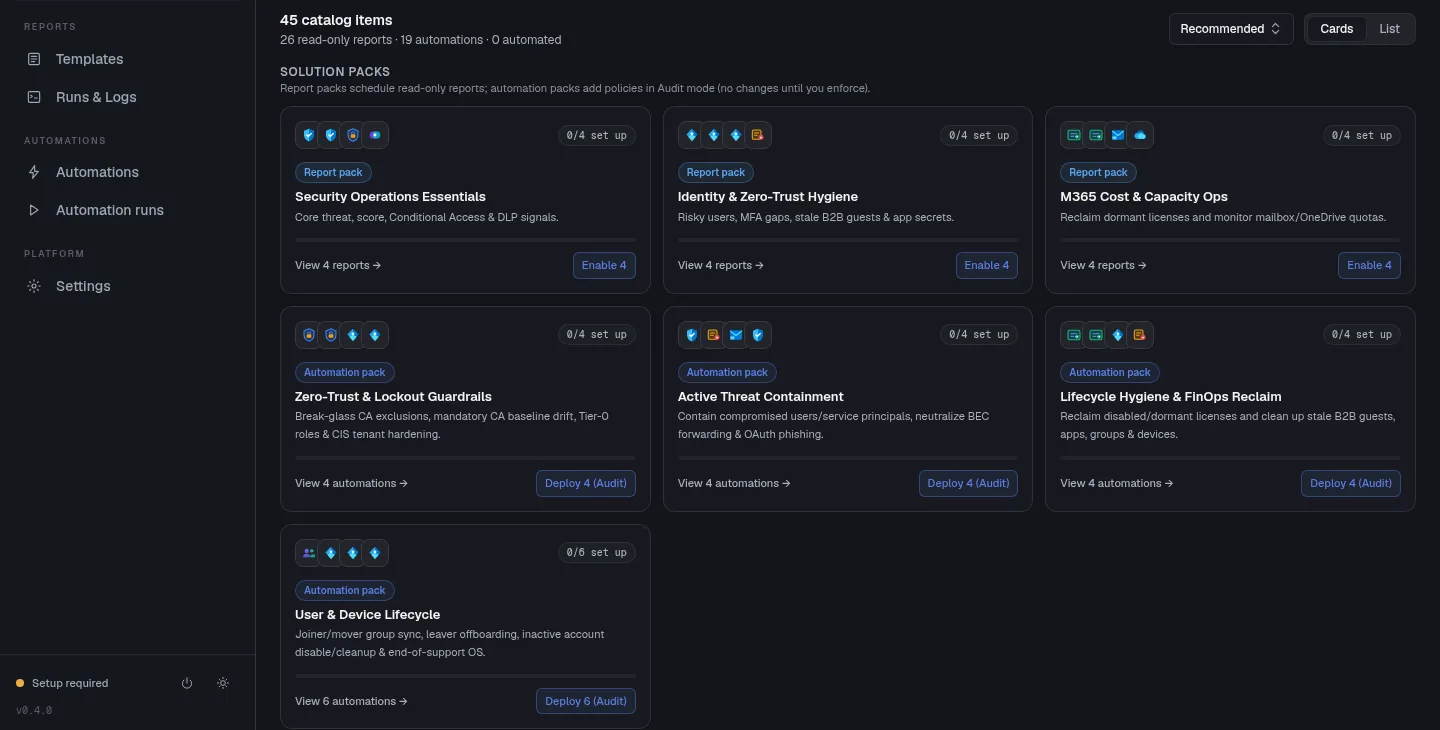
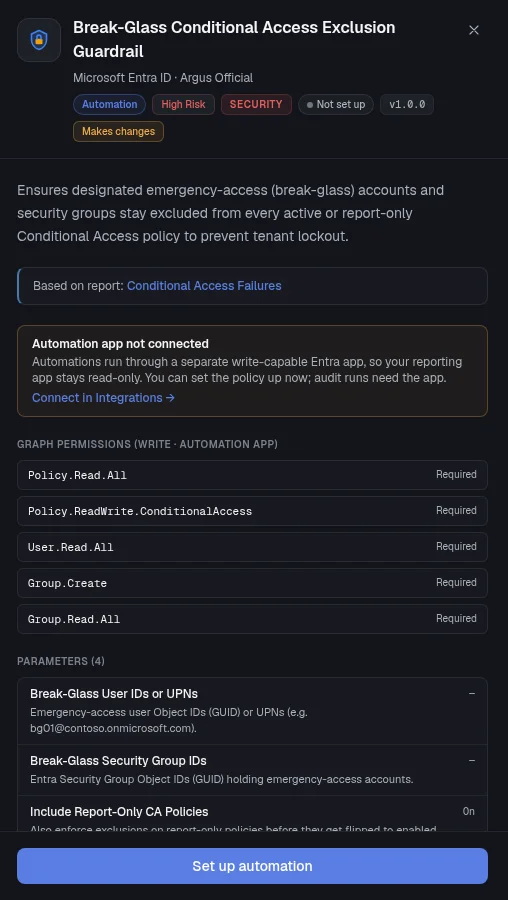
19 built-in automations act on what the reports find. They run through a separate, write-capable Entra app, so the reporting app never changes your tenant.
Every new policy starts here. A read-only what-if: the engine rejects any write, and the run lists exactly what would change.
Only after a finished audit of the current settings and an explicit confirmation. Max changes per run halts a run that would change too much.
Each change stores its before and after state. Reversible changes undo in one click; the few that can't (Intune retire, expired-secret removal) are marked.
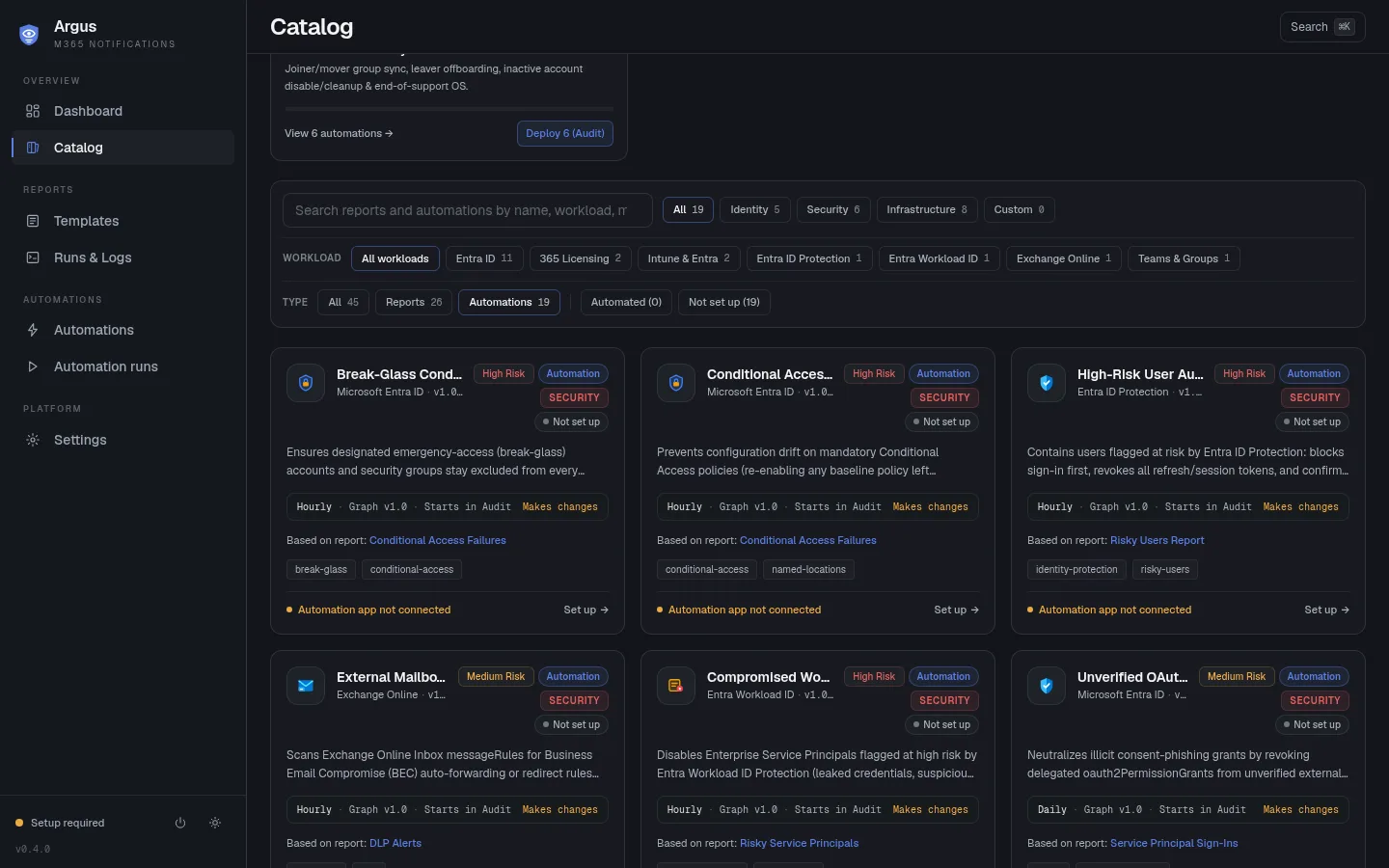
4 automations
Break-glass Conditional Access exclusions, mandatory CA baseline drift, Tier-0 roles and tenant authorization hardening.
4 automations
Contain high-risk users and service principals, remove external mailbox forwarding and revoke risky OAuth consents.
4 automations
Reclaim licences from disabled and dormant users, clean up stale B2B guests and expired app secrets.
6 automations
Joiner/mover group sync, leaver offboarding, inactive account disable and cleanup, stale and end-of-support devices.
Features
26 read-only reports (identity, security, infrastructure, usage, plus a custom Graph query) next to the automations, with solution packs and maturity labels.
Thresholds, changes, anomalies, new items and metric deltas decide whether a run emails anyone. Maintenance windows mute runs.
Each run snapshots its rows, so "new items" means new identities, not just a bigger count. Per-job trend charts included.
Jobs that would email no one are saved paused. Interrupted runs are never re-sent. Failure alerts go out once per streak, not once per run.
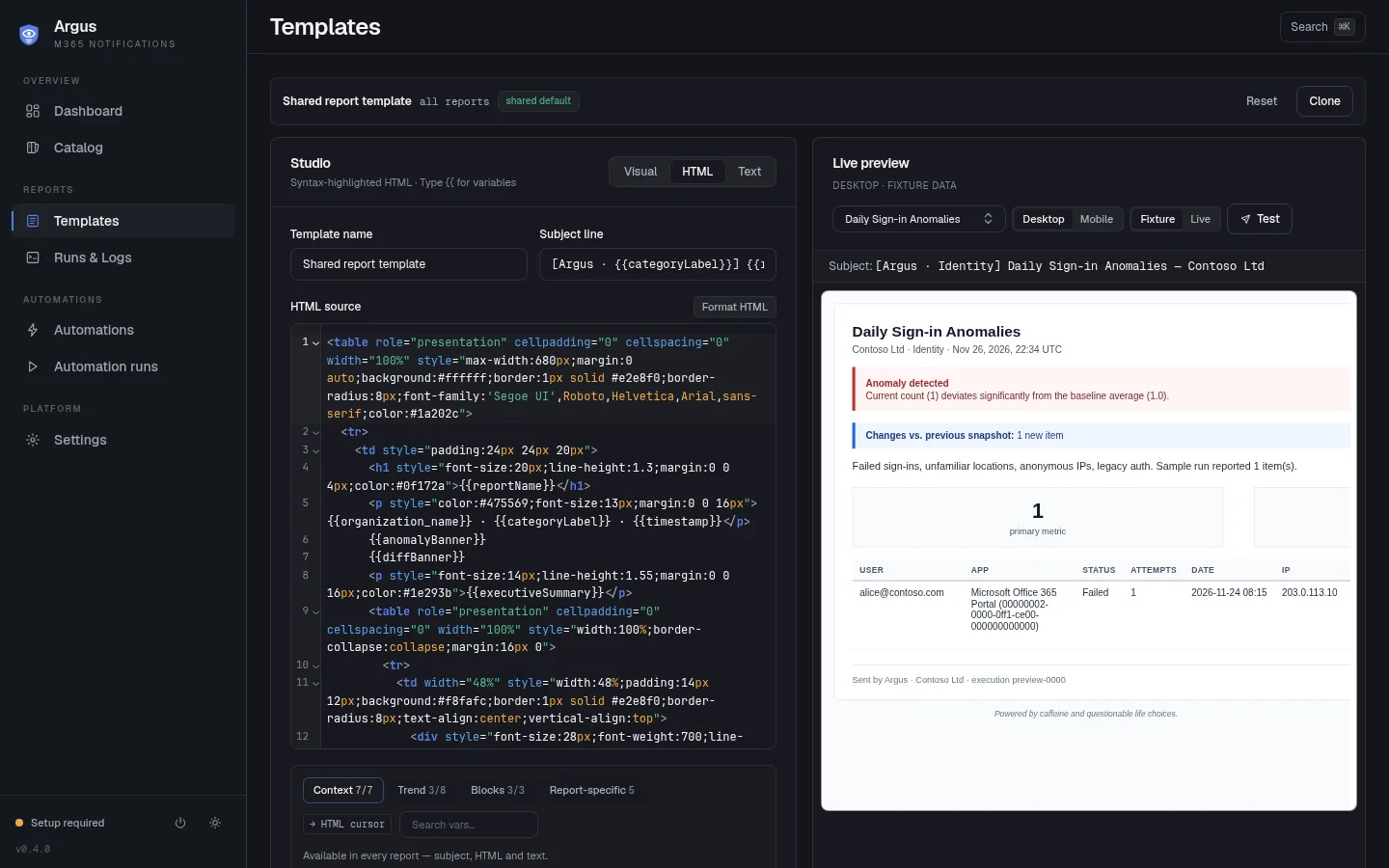
One shared template for every report: visual composer or highlighted HTML, live preview as any report, version history.
Device Code sign-in registers the Entra ID app with a local RSA-2048 certificate. Recipients can be Entra ID security groups or local lists.
Report catalog
The catalog ships 25 predefined reports and a configurable Graph query. A sample:
| Report | What it answers | Needs |
|---|---|---|
| Identity | ||
| Daily Sign-in Anomalies | Failed sign-ins grouped by user and app, with AADSTS codes decoded to plain English | Entra ID P1 |
| Inactive Guest Users | External guests with no interactive sign-in for 90+ days | Entra ID P1 |
| License Reclamation | Licensed accounts that look dormant, never used, or disabled but still licensed | Entra ID P1 |
| MFA Registration Status | Enabled users who are not MFA-capable | Entra ID P1 |
| Security | ||
| Conditional Access Failures | Sign-ins blocked by Conditional Access in the last 7 days | Entra ID P1 |
| User Risk Detections | Identity Protection detections joined with the user's current risk state | Entra ID P2 |
| Secure Score Trend | Seven daily snapshots, trend, peer average and lowest-scoring controls | Microsoft 365 |
| Infrastructure | ||
| App Secrets / Certificates Expiry | App registration credentials expiring soon | Any Entra ID |
| License Utilization | Bought vs used vs available seats per SKU, with a recommendation | Any Microsoft 365 |
| SharePoint Site Usage | Inactive SharePoint sites with template and last activity | Microsoft 365 usage reports |
Licences shown are Microsoft's requirements for the underlying Graph data, not Argus licences. Two alert reports (Security Alerts Digest, DLP Alerts) are still being verified, and two reports use Microsoft Graph beta endpoints. See the full catalog →
Security
Every page and API route needs a signed-in user, except the sign-in page and a status-only health check. The admin account is created on first visit (open for 30 minutes after start); passwords are argon2id hashes, five failures lock a username for 15 minutes, and sessions last 12 hours.
The image serves HTTPS on port 8100 with a self-signed certificate it generates and renews, or your own certificate. The app itself listens only on loopback inside the container.
Reports use app-only Graph access with a local X.509 certificate (RS256 client assertion) or a client secret. Automations use their own Entra app, so write rights stay out of the reporting path.
Credentials are stored AES-256-GCM encrypted in SQLite. ARGUS_MASTER_KEY is the only required variable; the installer writes it to .env, so back it up and restrict access.
Non-root with no-new-privileges, telemetry off. Outbound traffic goes to Entra ID and Graph, Exchange Online for automatic mailbox setup, and webhooks you configure.
Requirements
Quick start
git clone https://github.com/RohiRIK/argus.git
cd argus
./install.sh docker
Generates ARGUS_MASTER_KEY into .env, builds the image and serves on https://localhost:8100.
# generate a key once and keep it safe
export ARGUS_MASTER_KEY=$(openssl rand -hex 32)
docker run -d --name argus -p 8100:8100 \
  -e ARGUS_MASTER_KEY \
  -v argus-data:/app/data \
ghcr.io/rohirik/argus:latestThis repo is "Argus", a self-hosted Microsoft 365 reporting app (Bun + Next.js 16 + SQLite, single container).
Read README.md, then run `./install.sh docker`.
The ONLY required secret is ARGUS_MASTER_KEY; install.sh generates it into .env.
When it's up, open https://localhost:8100, create the admin account, and confirm GET /api/health is healthy.Open https://localhost:8100 (accept the self-signed certificate), create the admin account, then go to Settings → Integrations → Quick Setup to connect your tenant. Full install guide →
FAQ
No. You run it yourself. The UI, scheduler, SQLite database and worker live in one container on your infrastructure, behind its own sign-in.
Nothing. Argus is MIT licensed. Some reports need Microsoft licences (Entra ID P1/P2, Intune) for the underlying data.
Reports never do. Changes come only from automations you set up, through a separate write-capable app. Every policy starts in Audit, Enforce needs an explicit confirmation, and reversible changes can be rolled back.
The reporting app asks for 15 read permissions plus Mail.Send; Group.ReadWrite.All is opt-in. The automation app asks only for what your chosen automations need. Both lists are in the Security section.
Only if you want it to. Each job has a rule (always, threshold, change, anomaly, new items or metric delta), and maintenance windows mute runs.
In a SQLite database in the container's data volume. Integration credentials are encrypted with AES-256-GCM; report data stays on your host apart from the emails and webhooks you configure.
One Argus instance connects to one tenant. Run one instance per tenant.
Yes. Use the Custom Graph Query report, or scaffold a plugin with bun run plugin:new <id> --kind=automation. Reports, automations and templates share one plugin contract that CI validates.
Free, open source and running on your own hardware in minutes.